
AI Content Creation: 7 Powerful Steps to Create Videos From Scratch
AI Content Creation has completely changed what you need to start creating videos online.
A few years ago, building a serious YouTube channel could mean buying a camera, microphone, lighting, editing software, and sometimes even hiring an editor. Today, AI can help with almost every stage of video production — from ideas and scripts to voiceovers, visuals, editing, titles, and thumbnails. Pasted markdown
But there’s something important to understand before opening twenty different AI tools:
AI tools don’t make great content. Knowing how to use them does.
Give someone powerful AI tools and a boring idea, and they’ll simply create boring content faster. So instead of another giant list of AI websites, this guide will show you a complete AI Content Creation system you can actually use from the first idea to the final upload.
What Is AI Content Creation?
AI Content Creation means using artificial intelligence to assist with different stages of producing content. For video creators, the basic workflow looks like this:
Idea → Script → Voice → Visuals → Editing → Thumbnail → Publish
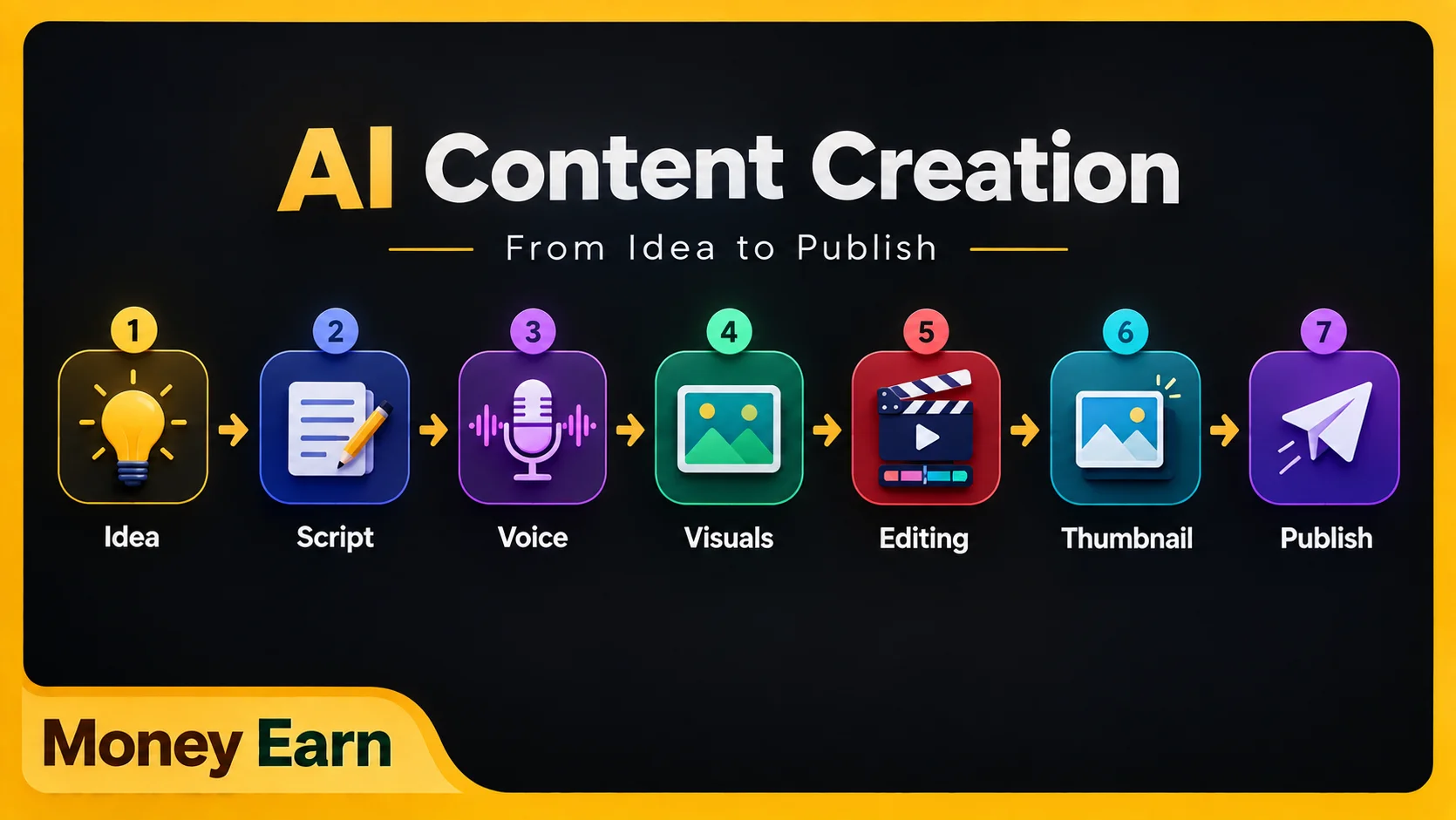
AI can support almost every stage, making it especially useful for YouTube, TikTok, Instagram Reels, YouTube Shorts, faceless channels, tutorials, educational videos, and storytelling content.
You don’t necessarily need to show your face or record your own voice. More importantly, you don’t need a complete production team before publishing your first video.
The key word, however, is assist. AI can accelerate production, but you still need to decide what people actually want to watch.
Step 1: Start AI Content Creation With the Right Idea
Before worrying about editing, voices, or fancy effects, you need something much more important: an idea worth watching.
Tools such as ChatGPT and Gemini can help brainstorm topics, explore different angles, and develop video concepts. The problem is that beginners often provide generic instructions and expect incredible results.
For example, asking:
“Give me video ideas about making money online.”
doesn’t provide much context.
Instead, explain your audience, niche, platform, content style, and objective. You might ask for YouTube ideas targeting beginners aged 18–30 who are interested in making money online with AI, with every video solving one specific problem and including a curiosity-driven title and hook.
Now AI understands what you’re actually trying to create.
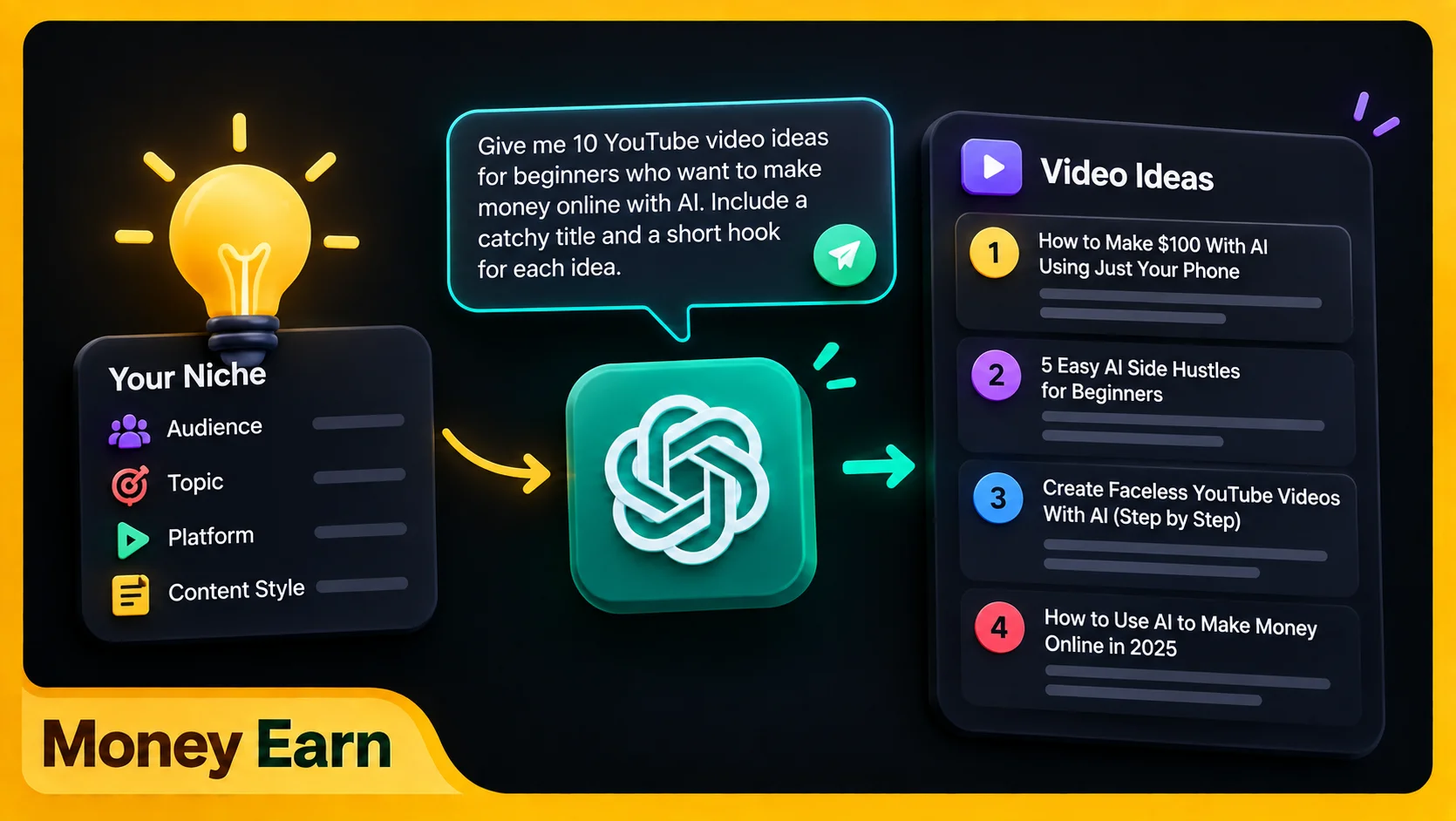
Better context produces better output.
That’s one of the most important principles in AI Content Creation.
Step 2: Write Better Video Scripts With AI
Once you have the idea, turn it into a script. Again, specificity matters.
Instead of asking AI to simply “write a YouTube video about AI,” explain the desired length, audience, tone, structure, examples, and objective. Tell it whether you want storytelling, conversational language, short sentences for narration, or a strong hook.
Think of AI as somebody working with you.
Give it a proper brief.
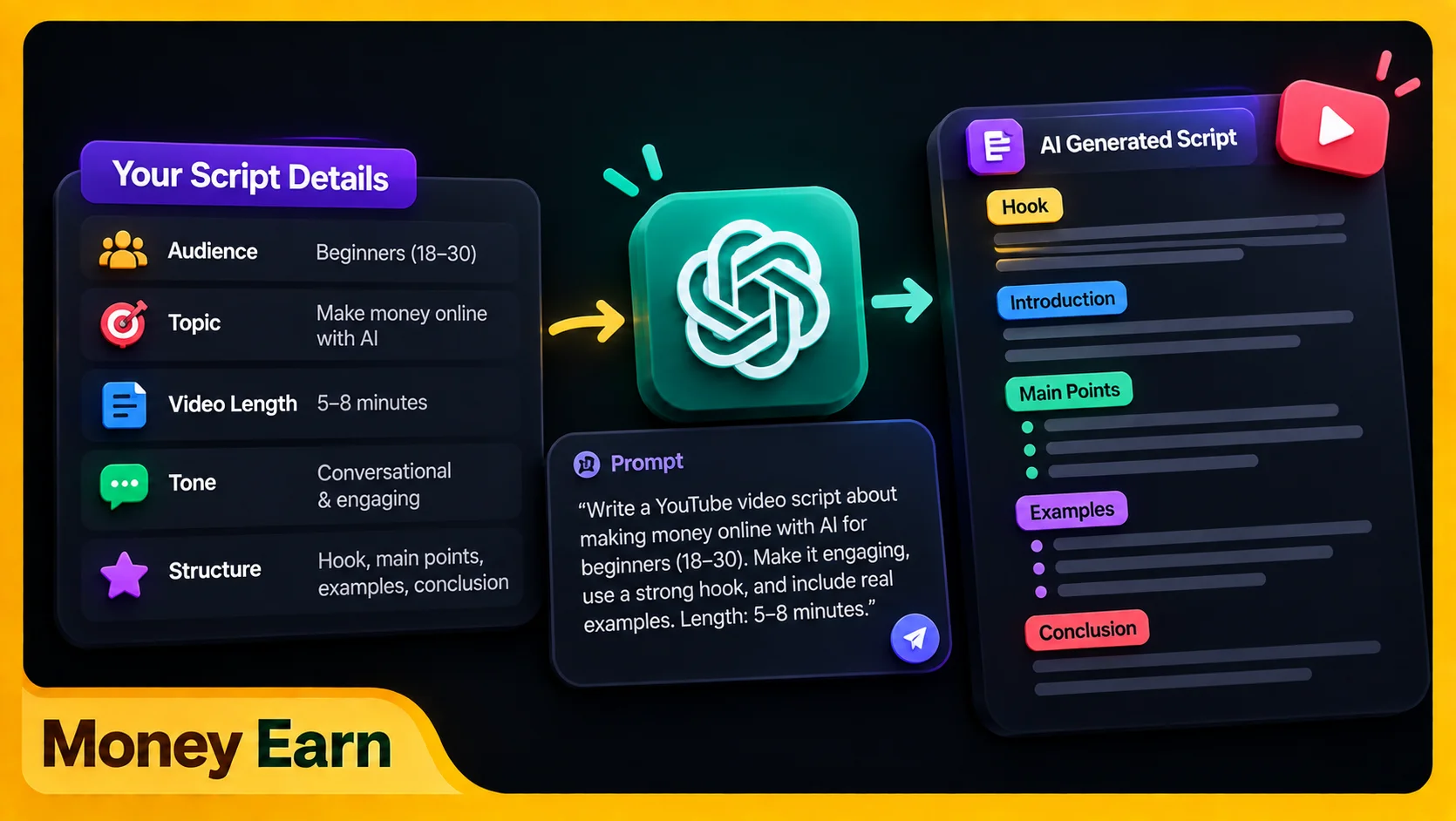
But don’t publish the first output blindly. Treat it as a draft. Remove awkward sentences, replace generic examples, verify important factual claims, cut repetition, and add your own perspective where relevant.
This is where AI Content Creation goes wrong for many people. They generate a script, copy it directly into a voice generator, publish the result, and wonder why the content feels soulless.
AI can build the skeleton.
You give it the personality.
Step 3: Create a Hook People Actually Want to Watch
You could create an amazing eight-minute video, but it doesn’t matter if everybody leaves during the opening.
Compare:
“Hello everyone. Today I’m going to explain how to create content using artificial intelligence.”
with:
“If you have nothing but a phone, you can now create an entire video with AI without a camera.”
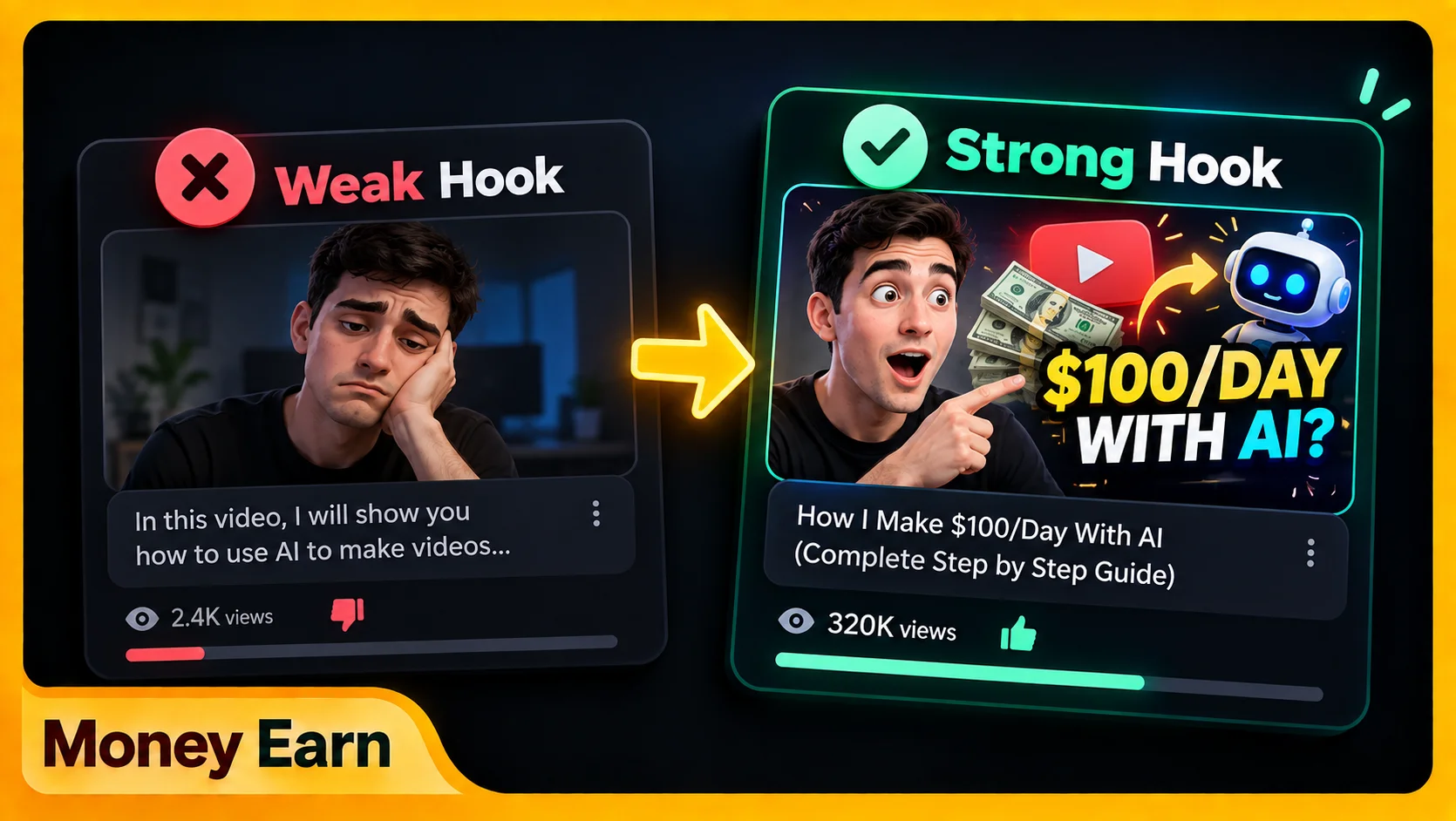
The second version immediately gives viewers a reason to continue.
A strong opening can introduce a problem, surprising result, question, promise, or curiosity gap. Don’t waste the first seconds explaining what viewers already know.
Give them a reason to stay.
AI can generate multiple hook variations quickly, but you still need to choose one that creates curiosity while accurately representing what the video delivers.
Step 4: Turn Your Script Into an AI Voiceover
Once you have the idea, script, and hook, you need narration. You can record your own voice or use AI Text to Speech if you’re creating faceless content.
Modern AI voice tools can produce increasingly natural narration, but the script itself needs to be written for speech. Long, formal sentences that look acceptable in an article can sound terrible when spoken aloud.
For example:
“The implementation of artificial intelligence technologies within content-production workflows can significantly increase efficiency.”
sounds much less natural than:
“AI can make content creation much faster.”
Use shorter sentences, natural language, punctuation, and deliberate pauses. Even an excellent AI voice can sound robotic when you feed it robotic writing.
Voice selection matters too. A horror channel probably shouldn’t sound like a cheerful productivity coach, while a software tutorial rarely needs a dramatic movie-trailer narrator.
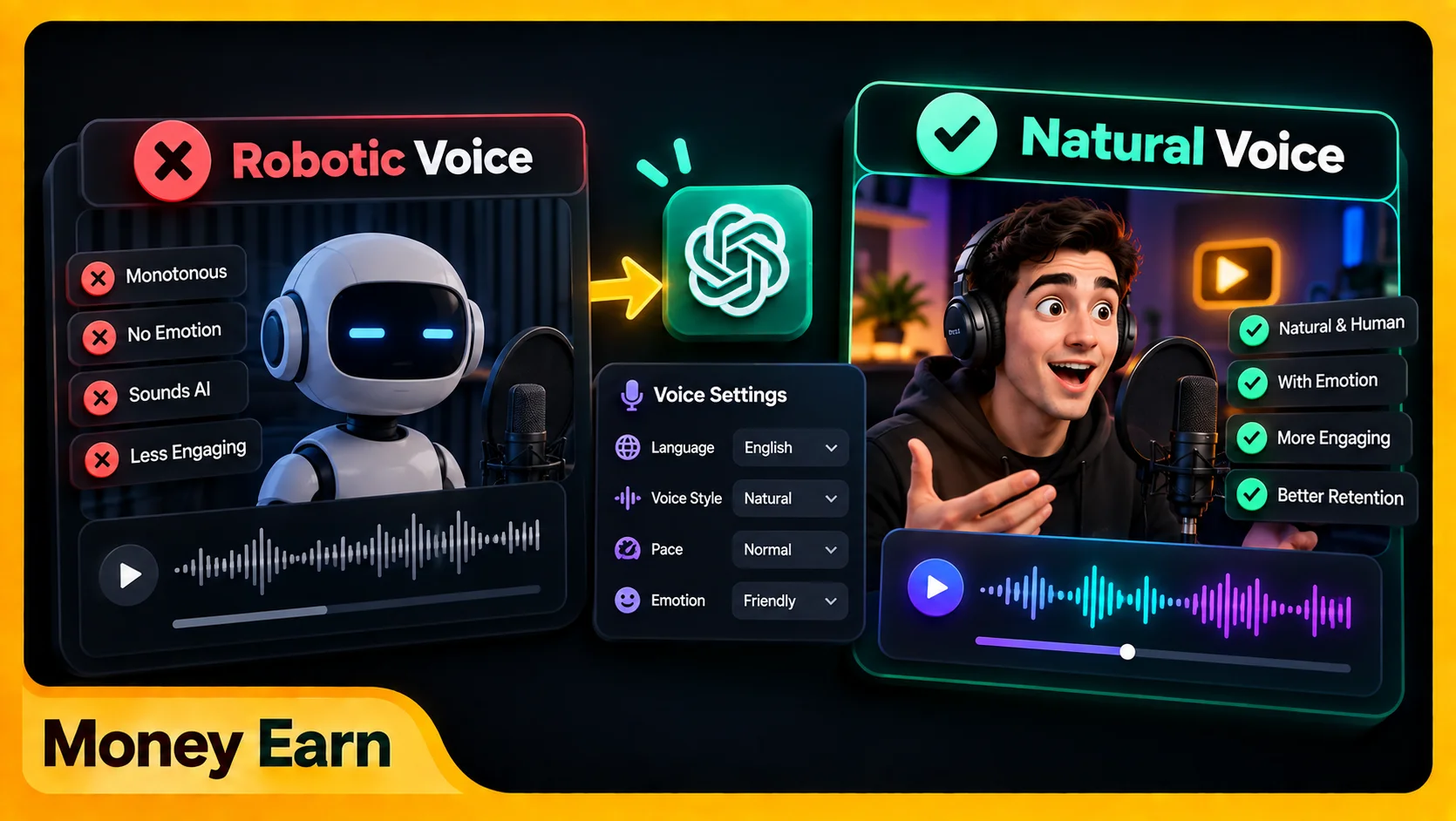
Choose a voice that fits your niche and keep it consistent. In faceless AI Content Creation, the narrator can become part of your channel identity.
If you want to improve this part of the workflow, check out our complete guide to AI Text to Speech for creating more natural and professional voiceovers.
Step 5: Create Visuals That Support the Content
Now you need something for viewers to watch.
For tutorials, screen recordings are often the best choice. Show the website, app, tool, or actual process you’re explaining instead of hiding everything behind unrelated stock footage.
For broader topics, you can combine original graphics, licensed stock footage, stock images, AI-generated visuals, charts, animations, text, and screenshots you have permission to use.
The main rule is simple:
The visual should support what the narrator is saying.
If you’re discussing ChatGPT, show the relevant workflow. If you’re explaining editing, show the timeline. If you’re talking about analytics, display useful data or a relevant visual representation.
Don’t use random cinematic footage simply because it looks impressive. Viewers should feel like they’re watching the explanation rather than listening to a podcast covered with unrelated B-roll.
You also don’t need an expensive stock subscription when you’re beginning. Free or appropriately licensed assets combined with original screen recordings, designs, AI images, and simple motion graphics can be enough.
The objective isn’t showing how many tools you own.
It’s communicating the idea visually.
Step 6: Edit Your AI Content
Once you have your narration and visuals, bring everything together. Editors such as CapCut can handle a large part of the workflow on both mobile and supported desktop setups.
Start with the voiceover. Put the narration on the timeline first because it determines the structure and pacing, then build the visuals around it.
If the narrator mentions a website, show it. If they explain an important number, display it. When the subject changes, change the visual.
You want synchronization between what viewers hear and what they see.
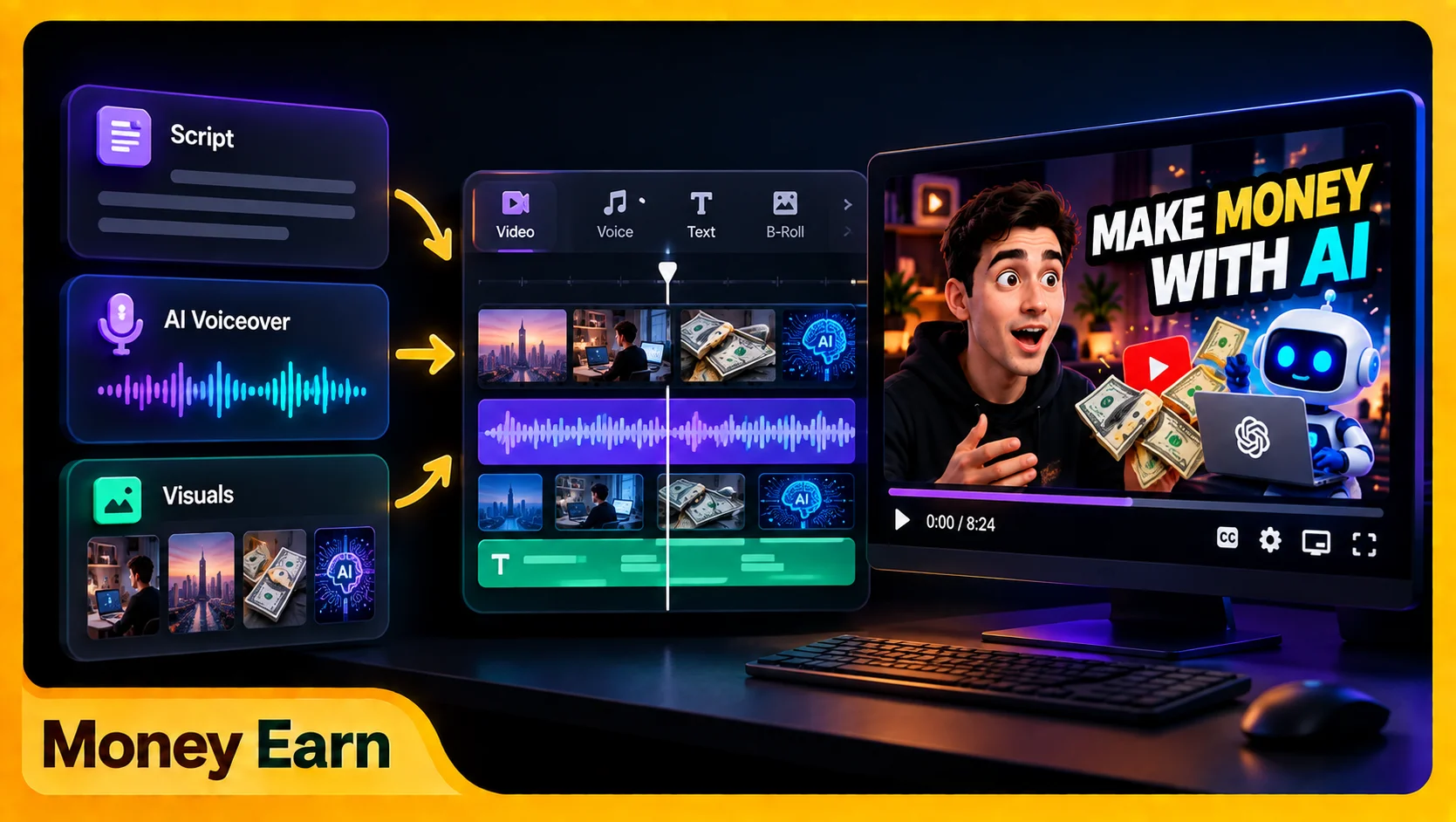
At the same time, don’t leave the screen unchanged for too long. A new shot, subtle zoom, text highlight, screen recording, image, crop, or simple transition can maintain visual interest.
But don’t turn the video into a slot machine.
More effects don’t automatically mean better editing. Professional editing often feels simple because effects are used deliberately.
This alone can make AI Content Creation look much more professional.
Step 7: Add Captions and Improve Retention
Captions are particularly useful for short-form content because many people encounter videos while commuting, sitting somewhere public, or simply scrolling without sound.
Automatic captioning can save time, but always review the result manually. Names, technical terms, and numbers can easily be transcribed incorrectly.
Generate automatically. Correct manually.
Background music can also improve the atmosphere, but narration should remain the priority. If viewers struggle to understand the voice because the music is too loud, you’ve damaged the video.
Match the music to the content and keep the voice clear.
AI Content Creation Isn’t Really About AI
Creators often become obsessed with finding the best AI voice, image generator, editor, or script writer while ignoring the most important question:
Is this video actually interesting?
You can have beautiful editing, perfect captions, an impressive voice, and incredible AI visuals and still get almost no views because nobody cared about the idea.
Tools improve production.
They don’t automatically create demand.
Before producing anything, ask what the viewer gets from the video. Entertainment? Useful information? A solution? A shortcut? A story? Curiosity?
If you don’t have a compelling answer, another AI tool probably won’t save the content.
Build a Consistent AI Content Creation System
If you want your channel to stop looking like another random AI project, develop consistency in your colors, fonts, narration, editing, thumbnails, visual language, and video structure.
Faceless channels still need brands. You don’t need your face to create identity; your presentation can become the identity.
You should also avoid creating everything randomly. Instead of brainstorming on Monday, writing half a script days later, and finally editing weeks afterward, batch similar tasks together.
You might research several ideas in one session, write several scripts in another, generate your voiceovers together, and then move into editing and publishing.
Now you’re running a content production system rather than waiting for motivation.
And yes, much of this can be done from a phone. More powerful hardware can make complicated workflows faster, but you don’t need perfect equipment to publish your first video.
The Complete AI Content Creation Workflow
The entire system can be simplified into ten stages:
- Find the idea — Identify a real audience interest or problem.
- Create the hook — Give viewers a reason to stop scrolling.
- Write the script — Use AI to accelerate the process.
- Humanize it — Remove robotic language and add personality.
- Create the voice — Record yourself or use AI narration.
- Build the visuals — Use recordings, graphics, licensed assets, or AI visuals.
- Edit — Synchronize visuals with narration.
- Add captions — Generate automatically, then review manually.
- Create the title and thumbnail — Sell the click without misleading viewers.
- Publish and learn — Study the results and improve your next video.
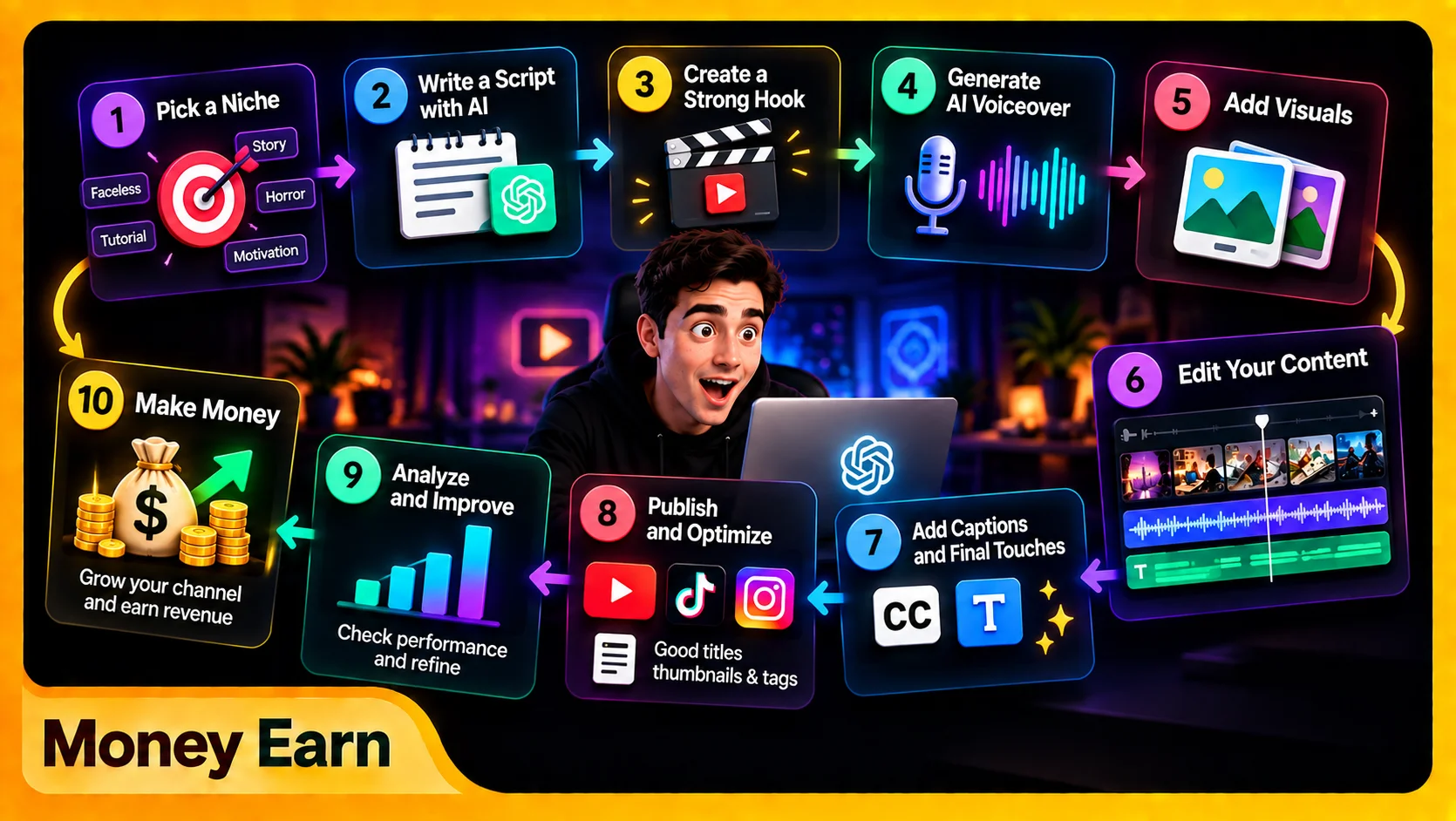
That’s AI Content Creation.
It’s not:
Prompt → Button → Viral Video
It’s:
Human Idea → AI Assistance → Human Direction → Content
7 Powerful Rules for Better AI Content Creation
If you remember nothing else, remember these seven rules:
- The idea comes first. AI can’t rescue an idea nobody wants.
- Give AI detailed instructions. Generic prompts produce generic output.
- Never blindly publish the first draft. Humanize it.
- Write for speech. Natural sentences create better narration.
- Make visuals support the story. Don’t rely on random B-roll.
- Keep editing purposeful. More effects don’t automatically improve retention.
- Publish consistently. Your tenth video should be better than your first.
These principles matter more than constantly chasing the newest tool.
Common AI Content Creation Mistakes
One major mistake is fully automating every creative decision. Automation can save time, but removing human judgment from the entire process can make videos feel generic.
Another problem is copying the same AI style everyone else uses: similar voices, scripts, footage, captions, and thumbnails. If everything looks identical, viewers have little reason to remember you.
Fact-checking matters too because AI can produce incorrect information. Verify important claims before publishing.
Finally, don’t confuse quantity with quality or wait forever for perfect equipment. Publishing 100 terrible videos doesn’t automatically beat publishing fewer strong ones.
Start. Learn. Improve.
Final Thoughts: AI Made Content Creation Easier — Not Automatic
AI Content Creation has removed many of the barriers that once stopped beginners. You can brainstorm ideas, write scripts, generate narration, create visuals, edit videos, design thumbnails, and publish using tools available from a phone or computer.
But easier production doesn’t mean guaranteed success.
AI can save enormous amounts of time and help one person handle work that previously required several tools or people. The creator still has to decide what to make, why anyone should watch it, how to maintain attention, and what makes the channel different.
Use AI as your production assistant, not your replacement.
Start with the equipment you already have. Build a repeatable system, publish, study what works, and improve your next video.
Because the person with the most expensive camera doesn’t automatically win anymore.
The person who understands content does.
Frequently Asked Questions
What Is AI Content Creation?
AI Content Creation is using artificial intelligence to assist with tasks such as brainstorming, scripting, voice generation, visuals, editing, and other stages of content production.
Can I Use AI Content Creation for YouTube?
Yes. AI Content Creation can assist with research, scripts, narration, visuals, thumbnails, and editing. Original direction and human review still matter.
Can I Create AI Videos Without Showing My Face?
Yes. Faceless videos can combine AI narration, screen recordings, licensed footage, graphics, animations, and AI-generated visuals.
Can I Do AI Content Creation Using Only My Phone?
Yes. Many parts of AI Content Creation can be handled through mobile apps and browser-based tools, although stronger hardware can make complex production faster.
Can AI Content Creation Make Money?
Content can support advertising, affiliate marketing, services, sponsorships, and digital products. AI Content Creation can make production more efficient, but AI itself doesn’t guarantee views or revenue.