
7 Profitable Website Audit Services You Can Sell Using TechLens AI
Website audit services can be a practical way for freelancers to turn technical knowledge into paid work. Businesses rely on websites to attract customers, generate leads, sell products, and build trust. However, many website owners do not fully understand the technologies powering their sites or know which technical details deserve closer attention.
That creates opportunities for freelancers who can investigate websites, explain their findings, and deliver useful recommendations. With the right workflow, website audit services can become a defined freelance offer rather than an occasional technical task.
You do not necessarily need to build a complete auditing platform from scratch. A browser extension such as TechLens AI can help you inspect publicly accessible website technologies, identify detected content management systems and frameworks, examine certain security-related headers, and export findings into formats such as CSV, Excel, JSON, and TXT.
The opportunity is not simply to sell a screenshot from an extension. It is to turn technical findings into a service that solves a real business problem. Clients need clear explanations, organized reports, and realistic recommendations—not just a list of detected technologies.
In this guide, you will discover seven website audit services you can offer, who might buy them, what to include in each report, and how to find your first clients.
Table of Contents
- What Is TechLens AI?
- Why Businesses Pay for Website Audit Services
- Seven Services You Can Sell
- How to Create a Professional Audit Report
- How to Find Your First Clients
- Pricing Your Services
- Common Mistakes to Avoid
- A Practical Seven-Day Launch Plan
- Frequently Asked Questions
What Is TechLens AI?
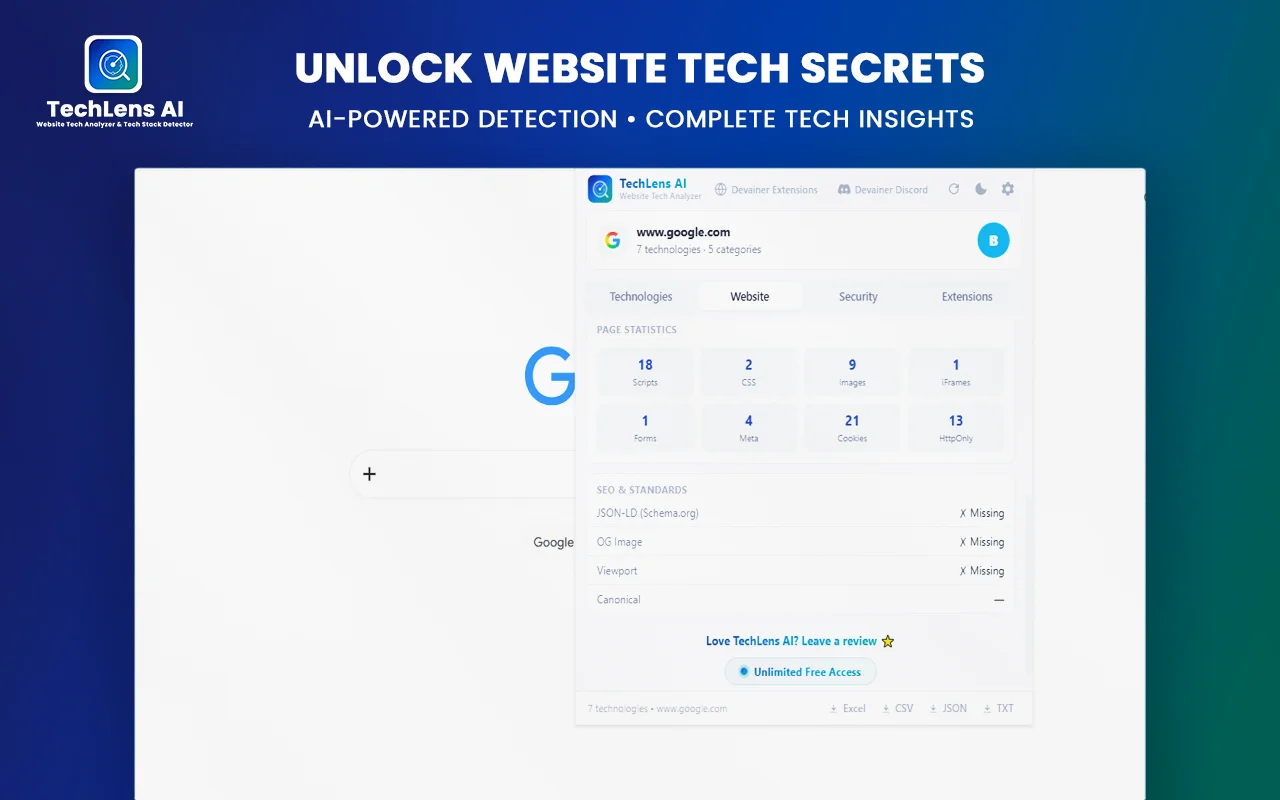
TechLens AI is a browser extension designed to identify technologies used by websites and provide an overview of selected technical and security-related details.
Its advertised capabilities include detection across 22 technology categories, including content management systems, JavaScript frameworks, UI libraries, analytics tools, content delivery networks, and hosting-related technologies. It also offers WordPress theme and plugin analysis, selected security header checks, a security grade, and data export options.
According to its product description, the extension processes its analysis locally in the browser rather than sending browsing and analysis data to an external backend.
These capabilities can support research and preliminary audits, but they do not replace a full security assessment, penetration test, server-side investigation, or manual code review. Detection results can also be incomplete or inaccurate depending on what a website exposes publicly.
For freelancers, the main benefit is efficiency. TechLens AI can help gather initial technical information that you can verify, interpret, and present to a client. This makes it a useful starting point for several website audit services, provided that you explain the limitations of automated detection.
Why Businesses Pay for Website Audit Services
A business owner may know that a website is outdated, difficult to maintain, or losing customers without knowing what to investigate first. Another business may be preparing a redesign and need to understand its current technical setup.
Professional website audit services help organize available information and give businesses a clearer starting point. Instead of trying to interpret technical details themselves, clients can receive a structured report with relevant findings and recommended next steps.
Businesses may pay for these services to:
- Understand which technologies their websites appear to use.
- Prepare for a redesign or migration.
- Review publicly detectable WordPress themes and plugins.
- Identify selected security configuration concerns.
- Compare observable technology indicators across competitors.
- Organize technical research for a development or marketing project.
- Prepare a preliminary inventory for future maintenance.
The value comes from your judgment and recommendations, not merely from collecting technical data. A report that explains what was found, what it means, what remains uncertain, and what to do next is generally more useful than a long list of detected technologies.
1. Sell Website Technology Audit Reports
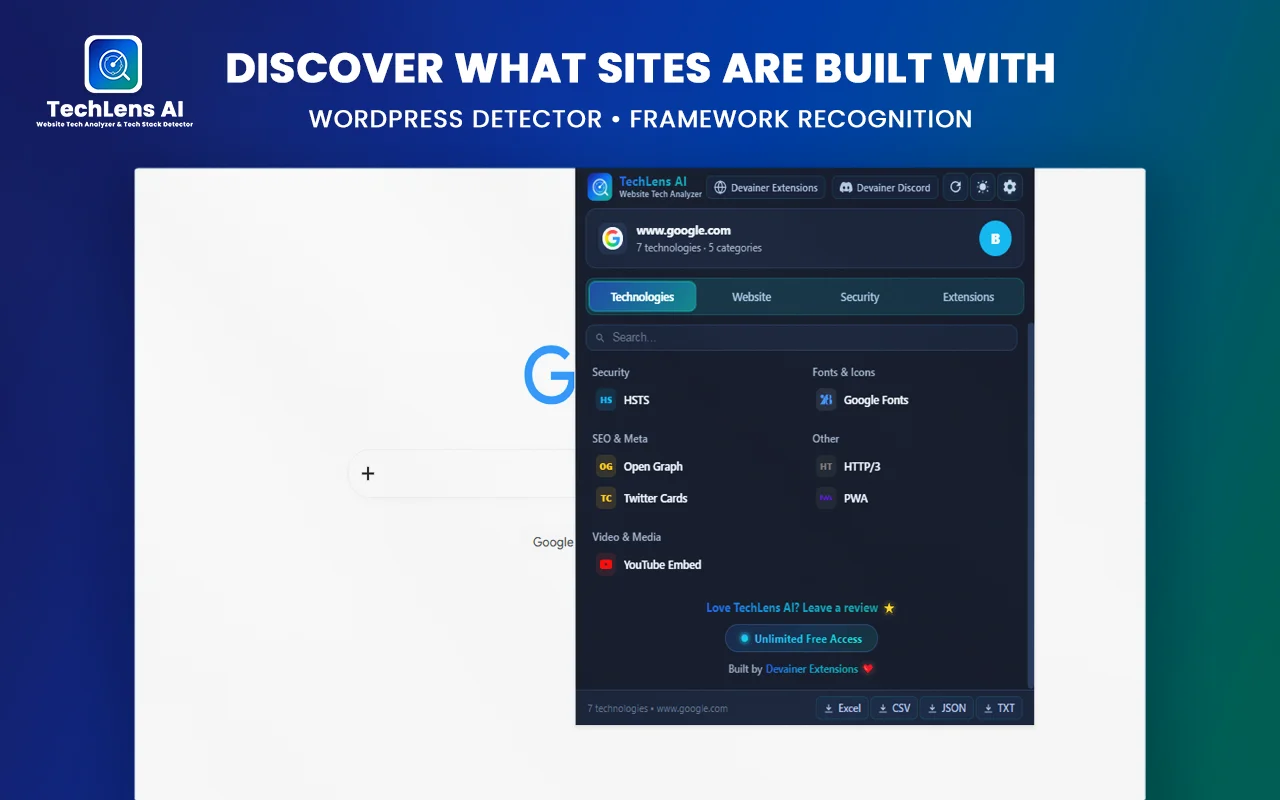
A website technology audit is one of the most straightforward website audit services to start with because it focuses on identifying and organizing a website’s apparent technical stack.
A client may want to know whether a website uses WordPress, which JavaScript frameworks are detectable, what analytics tools appear to be present, or whether a content delivery network can be identified.
TechLens AI can help you collect some of this information from publicly accessible pages.
What to Include in the Service
Create a concise report containing:
- The website reviewed and the date of the review.
- Detected CMS and relevant frameworks.
- Visible analytics, CDN, and hosting-related indicators where available.
- A short explanation of the important findings.
- Limitations and technologies that could not be confirmed.
- Recommended follow-up questions or checks.
Do not claim that the extension identifies every technology on every website. Some technologies are hidden, configured privately, or impossible to confirm from browser-visible evidence alone.
Who Might Buy This Service?
Potential clients include small business owners, agencies preparing project estimates, website managers, and businesses considering a redesign.
For example, a company may want a preliminary technology inventory before contacting developers. You can prepare the inventory, explain what it reveals, and help the company identify questions to ask during the next stage.
How to Make Your Report More Valuable
Avoid simply exporting a raw list. Group findings into understandable categories and explain why each relevant item matters to the client’s project.
A short executive summary, a table of detected technologies, and a prioritized list of follow-up actions can make the report easier to use.
For example, a report could identify the apparent CMS, summarize the detected front-end technologies, and list questions the client should discuss with a developer before beginning a redesign.
2. Offer WordPress Theme and Plugin Audits
WordPress powers many business websites, but owners and prospective clients do not always know which theme or plugins a site appears to use.
TechLens AI advertises WordPress analysis that can include detected themes and plugins, available version information, and links to relevant WordPress.org resources. This can support a preliminary WordPress technology review.
What the Service Can Cover
Depending on what the tool detects, your report can include:
- The apparent WordPress theme.
- Detected plugins and available version indicators.
- Relevant official plugin or theme reference links.
- Questions about maintenance and update procedures.
- Recommendations for a separate, authorized review where necessary.
It is important to distinguish detected public information from verified information about the website’s internal installation. Detection may not reveal every installed plugin, and a displayed version does not automatically establish that a component is vulnerable.
For official information about WordPress, use WordPress.org.
A Practical Example
Imagine a small business preparing to hire a developer to redesign its WordPress website. It wants an initial overview of the current setup before discussing project scope.
You could prepare a preliminary report listing detected components, explain what can and cannot be confirmed, and provide a checklist of questions for the developer.
This helps the business prepare for the project without pretending that a browser-based scan provides complete access to the site’s WordPress administration area.
How to Position the Service
Use a clear name such as WordPress Technology and Maintenance Review.
Describe it as a preliminary review of publicly detectable information. If a client needs a verified inventory of installed plugins, database details, administrator settings, or update status, request authorized access and use suitable tools for that separate task.
3. Sell Preliminary Website Security Configuration Reviews
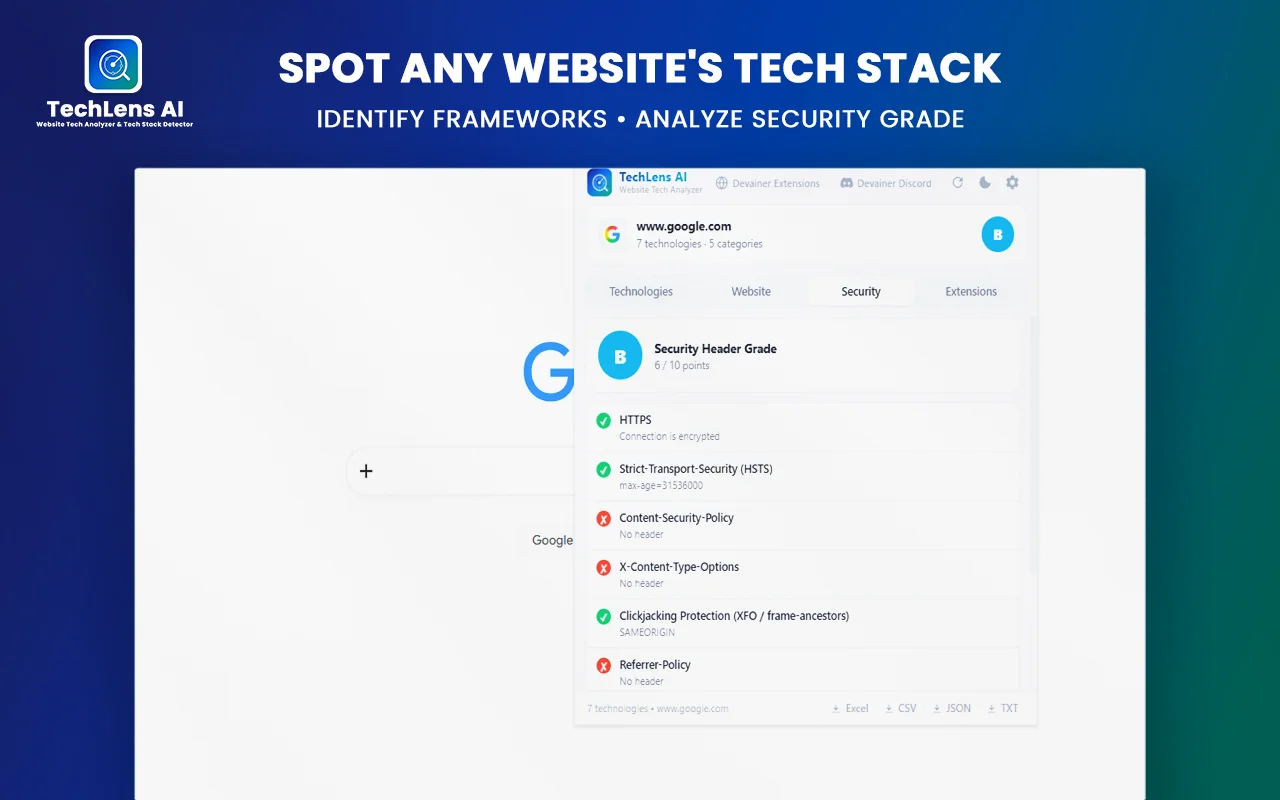
Security-related checks can be another useful service, provided you describe the scope accurately.
TechLens AI advertises checks related to HTTPS, TLS configuration, security grades, selected security headers, clickjacking protection, and server header information. These checks can help identify issues worth investigating further.
What You Can Deliver
A preliminary configuration report might cover:
- Whether HTTPS is used on the reviewed page.
- Which security headers were detected.
- Whether selected protective headers appear to be missing.
- Whether server response headers reveal information worth reviewing.
- Recommendations for a qualified developer or security professional.
Explain the implications of each finding in plain language. If a relevant header is missing, describe the protection it is intended to provide and recommend checking whether the site’s architecture requires it.
For technical explanations of HTTP headers, consult MDN Web Docs: HTTP Headers.
Important Limitations
A browser extension cannot prove that a website is secure simply because a scan reports a good grade. A missing header also does not automatically mean that a website has been compromised.
A preliminary review is not a penetration test, a comprehensive vulnerability assessment, or a guarantee against attacks.
Only assess websites you own or have permission to review. Do not attempt to bypass access controls, exploit vulnerabilities, or access private information.
Who May Need This Service?
Potential customers include small businesses, website owners, independent developers, and agencies that want an initial configuration review before commissioning a more extensive assessment.
Position the offer as a Preliminary Website Security Configuration Review, not a guarantee that a website is safe.
4. Prepare Website Technology Reports for Agencies
Web design and marketing agencies often evaluate websites before pitching a redesign, migration, maintenance plan, or new digital project.
A structured technology report can help an agency prepare for that conversation. Instead of selling the same report to an individual website owner, you can offer a research service to agencies that need organized findings across several publicly accessible websites.
What to Provide
For each website, include:
- The technologies detected.
- Relevant CMS and framework indicators.
- Available analytics and CDN indicators.
- Selected security configuration observations.
- A short summary of potential project questions.
- Source URLs and the date of collection.
If the agency is comparing multiple websites, use a spreadsheet with consistent columns so its team can filter and review the findings quickly.
How to Differentiate Your Service
Your advantage should be organization and interpretation. An agency may be able to run a scan itself, but it may not want to spend staff time cleaning up exports, standardizing terminology, or writing summaries.
You can offer a fixed-scope research package that includes a specified number of websites, a standardized report, and a short handover.
Do not promise that your findings reveal a competitor’s private infrastructure or complete technology stack. Base your conclusions on observable evidence and clearly label uncertain detections.
5. Create Website Competitor Technology Comparisons
Businesses sometimes want to understand how their public websites compare with competitors. Technology research can support that process, particularly when a business is planning a redesign or evaluating its digital operations.
TechLens AI can help gather observable technology indicators from public websites. You can organize those indicators into a comparison report.
How to Build the Report
Choose a small set of relevant websites and compare the same categories across each one.
| Category | What to Record |
|---|---|
| CMS | Detected content management system, if identifiable |
| Front-end | Detected frameworks or UI libraries |
| Analytics | Publicly detectable analytics indicators |
| CDN | Detected content delivery network indicators |
| Security | Selected HTTPS and security header observations |
| Notes | Uncertainties and recommended follow-up checks |
After collecting the information, explain what the comparison can and cannot tell the client.
For example, two websites may use the same CMS but have very different performance, design quality, conversion rates, and maintenance practices. A technology comparison does not establish which business performs better.
Who Could Use the Service?
Potential clients include marketing consultants, web development agencies, business owners planning a redesign, and teams conducting preliminary market research.
The deliverable could be a spreadsheet plus a short written summary highlighting meaningful differences and questions to investigate.
Make sure your research uses public information appropriately and follows relevant website terms and applicable laws.
6. Offer Exported Data Cleanup and Reporting
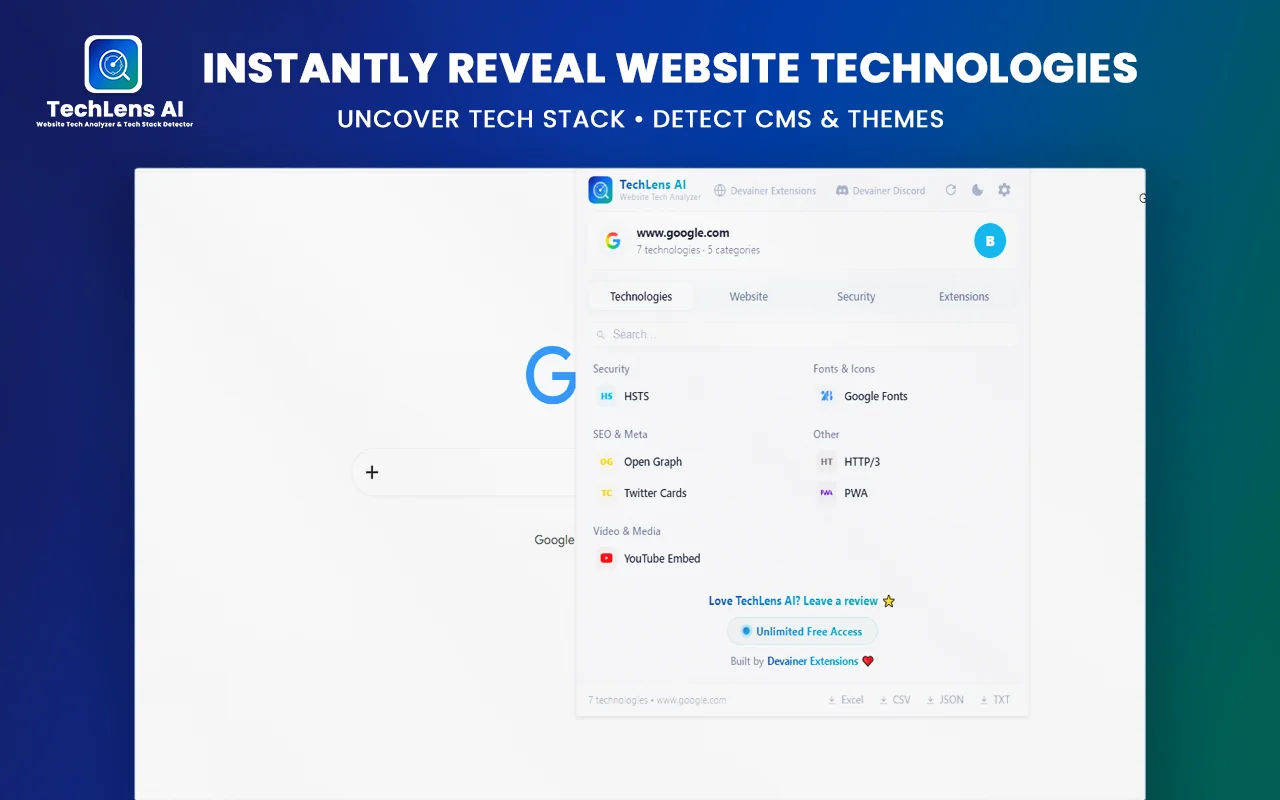
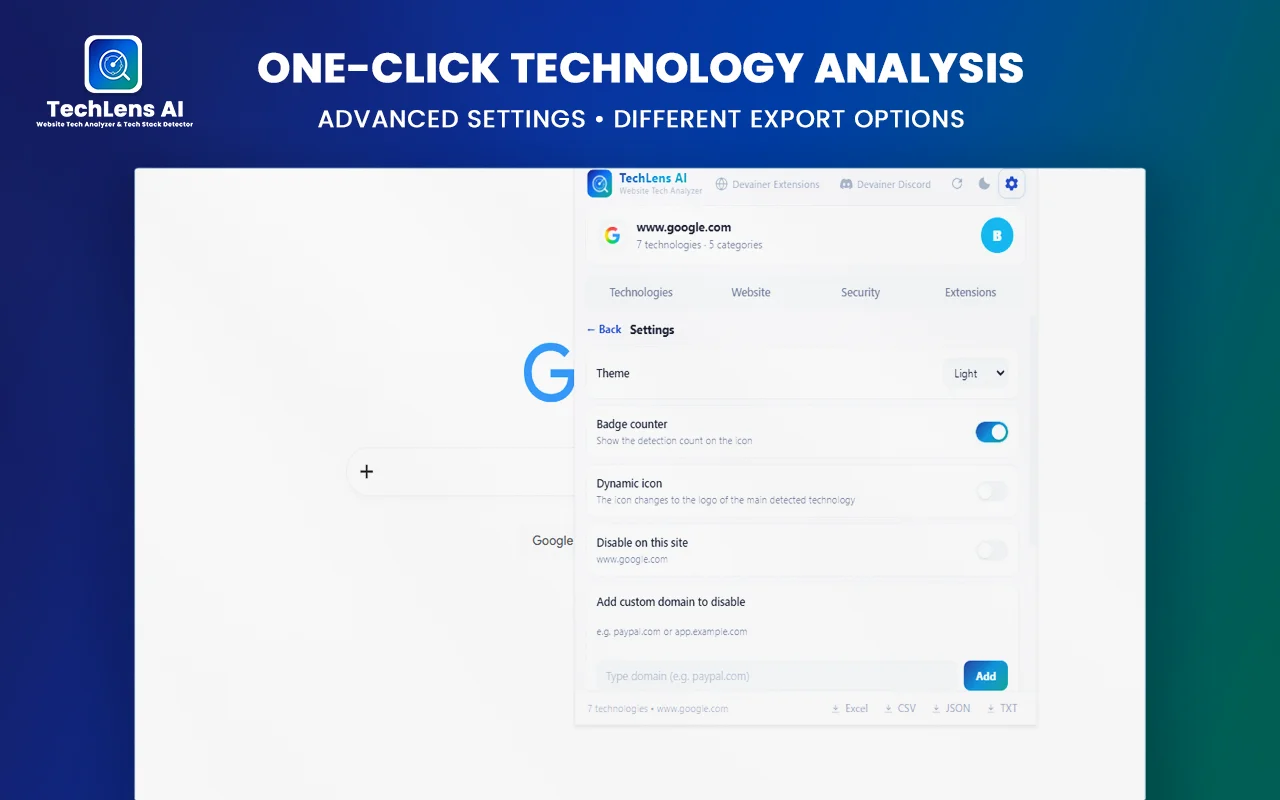
TechLens AI advertises exports in CSV, Excel, JSON, and TXT formats. This creates a service opportunity for clients who need their technical findings organized into a usable document or spreadsheet.
The extension collects preliminary data; your service turns it into a cleaner deliverable.
What the Service Can Include
You might offer:
- Consistent naming for technology categories.
- Removal of duplicate rows where appropriate.
- Spreadsheet formatting and filters.
- Separate worksheets for different websites.
- A summary of important findings.
- Notes on missing or uncertain values.
- A client-ready PDF or spreadsheet.
For example, an agency reviewing 20 websites may prefer one standardized workbook over 20 separate exports. You could organize the results by website, technology category, and review date.
How to Price the Work
You can price by the number of websites, the complexity of the report, or the amount of cleanup and interpretation required.
A small spreadsheet cleanup task should cost less than a multi-site comparison with written recommendations. Define the scope before beginning so the client knows how many websites and revisions are included.
Do not include confidential client information in public examples, and remove unnecessary personal or sensitive data before sharing reports.
7. Build a Recurring Website Review Service
Some businesses and agencies need technical reviews more than once. A recurring service may be more sustainable than finding a new one-time project every week.
For example, an agency may want a standardized preliminary review whenever it starts working with a new website client. A business may want periodic checks of selected configuration indicators as part of its wider maintenance process.
What a Recurring Package Could Include
A monthly or quarterly package might offer:
- A review of an agreed list of websites.
- Updated technology observations.
- A record of notable changes in detected technologies.
- Selected security header observations.
- A summary of findings that need human review.
- A report archive showing the review date and scope.
Do not claim that a change in detected technology necessarily means a security incident or that a repeated scan guarantees protection. This service monitors selected public indicators; it does not replace professional security monitoring.
How to Make It Useful to Clients
Agree on the exact sites, categories, frequency, report format, and response process. Explain which findings you can investigate and which require the client’s developer or security team.
A clearly defined recurring service can make budgeting easier for the client and give you a more predictable workload.
How to Create a Professional Website Audit Report
Regardless of which service you choose, the report is a major part of what the client is paying for. Strong website audit services depend on turning technical observations into useful decisions.
A good report should answer four questions:
- What did you inspect?
- What did you find?
- What does it mean for the client’s project?
- What should happen next?
Step 1: Define the Scope
Record the website, pages reviewed, date, and purpose of the audit. Confirm that you have permission if the work goes beyond ordinary public-page inspection.
Step 2: Collect the Available Evidence
Use TechLens AI to gather relevant technology and configuration indicators. Export the findings if that helps you organize them.
Step 3: Review the Results
Check important findings before presenting them as facts. If the tool identifies a technology or version, distinguish between a confirmed observation and an inference. Investigate significant security concerns using appropriate authorized methods.
Step 4: Prioritize Recommendations
Separate findings into categories such as:
- Informational: useful context about the website.
- Needs review: a detail that should be verified.
- Recommended action: a practical improvement worth considering.
- Specialist assessment required: a matter beyond the scope of a preliminary audit.
Step 5: Make the Report Readable
Start with a brief executive summary. Follow it with tables, explanations, limitations, and next steps. Avoid overwhelming the client with technical terms that do not affect their decisions.
Step 6: Protect Client Information
Store reports securely, share them only with authorized recipients, and agree on retention and deletion expectations. Although TechLens AI advertises local processing, the files you export and deliver still need appropriate handling.
How to Find Your First Clients
You do not need to launch seven different services simultaneously. Start with one clearly defined offer, prepare a sample report using a website you own or have permission to analyze, and use that example to demonstrate the value of your work.
Create a Focused Portfolio Example
Choose a small business website that you own or have explicit permission to assess. Prepare a sample technology report with identifying details shared only as authorized.
Show the structure of your deliverable: the executive summary, detected technologies, limitations, and recommended next steps. A sample report should demonstrate your process rather than claim results you have not verified.
Contact Potential Customers
Consider reaching out to:
- Freelance web developers.
- Small digital marketing agencies.
- WordPress maintenance providers.
- Businesses preparing for a redesign.
- Consultants who need technical research support.
Personalize your message around the recipient’s likely needs. Do not send bulk messages that make unsupported claims about a website’s security or imply that you discovered a vulnerability without evidence.
Use Freelance Marketplaces
You can also list a narrowly defined service on suitable freelance platforms. Describe the deliverables, turnaround expectations, number of websites included, and limitations.
A clear service such as “Website Technology Audit and Excel Report” is easier to understand than a vague offer to do everything related to website security, development, and marketing.
Internal link placement: Link the phrase “finding freelance clients” to an existing published Money Earn guide about finding clients or getting freelance work. Use the actual URL of that article.
How to Price Your Website Audit Services
There is no single correct price for website audit services. The appropriate fee depends on the number of websites, complexity, research time, report depth, and level of expertise required.
A simple pricing structure could have three tiers:
| Package | Example Scope |
|---|---|
| Basic | One website, preliminary technology findings, concise summary |
| Standard | One website, technology report, selected configuration checks, recommendations |
| Multi-site | Several websites, comparison spreadsheet, written summary |
Treat these as service structures rather than fixed market prices. Research comparable offers on the platform or in the market you intend to serve before setting your rates.
Estimate your time for data collection, verification, writing, client communication, and revisions. Then choose a price that makes the work worthwhile without promising outcomes outside your control.
You can also offer an initial paid pilot with a clearly limited scope. If the client finds the report useful, discuss a larger project or recurring arrangement.
Common Mistakes to Avoid
Selling Raw Exports Without Interpretation
A list of technologies is easy to generate and may not answer the client’s actual question. Add explanations, limitations, and practical recommendations.
Making Unsupported Security Claims
Do not describe a site as completely secure or compromised based only on a browser-based scan. Report observable indicators and recommend further assessment where appropriate.
Promising Guaranteed Income
A useful tool does not automatically produce customers. Finding clients, communicating value, delivering reliable work, and building a portfolio all take effort.
Overloading the Client With Technical Details
Prioritize findings according to the client’s goals. A business owner planning a redesign may care more about the current CMS and migration questions than a long list of unrelated framework detections.
Ignoring Authorization and Privacy
Limit your work to appropriate public-page research or activities the client has authorized. Handle exported files carefully and avoid exposing private information in samples or portfolio pieces.
A Practical Seven-Day Launch Plan
You can use this plan to test whether one of these services fits your skills and target market.
Day 1: Choose one service. Start with a technology audit or a preliminary WordPress review.
Day 2: Define the deliverable. Decide what the report includes, how many websites are covered, and what is outside the scope.
Day 3: Prepare a sample. Analyze a website you own or have permission to inspect, then create a clear example report.
Day 4: Improve the presentation. Add an executive summary, organized tables, explanations, and next steps.
Day 5: Publish your offer. Add the service to your portfolio or an appropriate freelance marketplace.
Day 6: Contact Relevant Prospects. Reach out individually to a small number of developers or agencies whose work fits your service.
Day 7: Review the Response. Evaluate which messages attracted interest, improve your offer, and decide whether to continue, adjust the scope, or test another service.
This plan is an experiment, not a guarantee of sales within seven days. The goal is to create a tangible sample, communicate a specific offer, and learn whether potential customers value the work.
Full-Stack Auditing: Combining Technology Audits with On-Page SEO
While identifying website frameworks, hosting infrastructure, and security headers using a secure browser extension provides a solid technical foundation, top-tier agencies build predictable monthly retainers by pairing technology audits with deep on-page SEO analysis. Examining meta tags, heading hierarchies, and Open Graph previews alongside your tech stack research allows you to deliver an all-in-one technical evaluation for clients. Once your preliminary technology audit is complete using TechLens AI, pairing your workflow with an advanced On-Page SEO Audit Guide ensures that you can inspect site health, verify metadata structures, and fix optimization errors seamlessly—delivering a comprehensive digital audit package that commands premium agency pricing.
Frequently Asked Questions
Can I Make Money Using TechLens AI?
Potentially, yes. You can use the extension as part of services such as preliminary technology audits, WordPress technology reviews, selected security configuration checks, and exported research reports. Your results depend on the quality of your work, demand, pricing, and ability to find clients.
Do I Need to Be a Professional Developer?
You need enough technical knowledge to interpret the results accurately and explain their limitations. Some basic research and reporting tasks may be accessible to less experienced freelancers, but security-related conclusions require appropriate expertise. Do not sell assessments you cannot competently perform.
Is TechLens AI Enough for a Complete Security Audit?
No. Its advertised features can support preliminary checks, but a comprehensive security audit may require additional tools, authorized access, manual investigation, and specialist expertise.
Can I Sell the Same Report to Several Customers?
You can develop reusable templates and repeatable workflows, but each client report should reflect the actual website and scope reviewed. Do not present generic findings as if you individually verified them.
Which Service Should a Beginner Try First?
A basic website technology audit with a clear, concise report can be a reasonable starting point if you understand the detected technologies. As your skills grow, you can add more advanced WordPress or security configuration services within your competence.
Does Exporting Data Automatically Create a Valuable Service?
Not by itself. CSV, Excel, JSON, and TXT exports help organize findings, but clients typically need relevant interpretation, quality checks, and recommendations. Your added value is making the information easier to understand and act on.
Final Thoughts
TechLens AI can support several freelance service ideas by helping you collect website technology information and selected security-related indicators. The strongest approach is to use the extension as one part of a clear workflow: inspect, verify, interpret, report, and recommend appropriate next steps.
Start with one service that matches your current abilities. Build a sample report, define a transparent scope, and approach potential clients who have a genuine need for the work.
You do not need to sell every service at once. A well-defined offer, accurate reporting, and consistent client communication are better foundations for a freelance business than exaggerated promises about quick or guaranteed income.
If you want to turn technical research into a reliable freelance offer, start with one of these website audit services, test the demand, and improve your reporting process based on real client feedback.
Ready to Scale Your Website Audit Agency Safely?
Stop wasting hours on manual code inspection and risky cloud scraping tools. Audit website technologies, verify security headers, and export structured technical data securely with 100% on-device browser processing.
👉 Discover, Explore, and Install TechLens AI Directly from Devainer Extensions
Visit our official Devainer Extensions hub to explore our complete suite of privacy-first SEO and web development tools, read detailed documentation, and safely integrate secure browser automation directly into your agency workflow today.